

Best AI Tools for Business by Use Case: 23 Picks That Can Save 10+ Hours a Week

Most roundups of the best ai tools for business make the same mistake: they hand you a flat list of famous products and leave you to figure out whether any of them fit your workflow, team size, risk tolerance, or budget. That is how companies end up paying for five overlapping tools, automating the wrong work, and creating more review overhead than they remove.
The faster path is to buy for a use case, not for hype. If your biggest bottleneck is lead follow-up, you need a different stack than a service business trying to speed up proposals, or an operations-heavy company drowning in recurring admin. The right tool is the one that reduces cycle time, fits your data sensitivity, and gets adopted without a six-week implementation slog.
This guide gives you 23 picks organized by business context and outcome. You will see where general assistants win, where specialist tools are worth the extra seat cost, and when an automation layer should sit on top of both. If you want the selection system first, jump to the framework.
Every recommendation here is filtered through buyer-grade criteria: time-to-value, setup difficulty, integration depth, review burden, realistic monthly cost, and whether the tool is safe for brainstorming, internal operations, or customer-facing automation. The goal is simple: help you reclaim 10 or more hours a week without creating hidden risk.
The Core Problem: Most Businesses Do Not Need More AI, They Need Fewer Better Decisions

Businesses rarely fail to adopt AI because the tools are unavailable. They fail because they buy in the wrong order. A founder starts with ChatGPT for writing, then adds a meeting notetaker, then buys an automation tool, then tests a support bot, then discovers nothing talks cleanly to the CRM and every output still needs manual cleanup.
The result is predictable:
- Seat sprawl without measurable ROI
- Automations that break on edge cases
- Customer-facing mistakes caused by weak review controls
- Managers paying premium prices for work that still requires human rework
- Teams distrusting AI because early deployments were sloppy
The real buying question is not “What are the best ai tools for business?” It is “What combination of assistant, specialist app, and automation layer removes the most expensive bottleneck with the least operational risk?”
That question matters because AI value is uneven. Brainstorming and first drafts are easy wins. Inbox drafting, meeting summaries, and internal knowledge retrieval can also pay back quickly. But customer support replies, proposal generation, outbound prospecting, and reporting workflows need tighter prompts, approvals, cleaner source data, and stronger integration logic.
If you do not separate low-risk assistance from customer-facing automation, you will either underuse AI or overtrust it. Neither saves time. A useful evaluation has to include where a tool fits, where it fails, and how much human review it still demands.
That is also why generic top-10 lists underperform for buyers. They ignore the messy reality of business operations: a solo consultant can live inside one assistant plus one scheduler and one automation tool, while a 20-person agency may need CRM-connected drafting, call intelligence, proposal assembly, and SOP automation. Different maturity levels need different stacks.
The A.C.E. Selection Framework: Audit, Contain, Expand

Use this three-step system to choose AI tools based on outcome, not novelty.
1. Audit the work that steals time every week
Start with recurring workflows, not software categories. List the tasks that happen at least three times per week and consume focused time.
- Meeting notes and action items
- Lead qualification and follow-up
- Proposal or statement-of-work drafting
- Support reply drafting and triage
- Content repurposing
- Reporting and status updates
- Data movement between forms, inboxes, docs, and CRMs
Then score each task on three factors:
- Time drain: How many hours per week does it consume?
- Error cost: What happens if the AI gets it wrong?
- Data sensitivity: Does the workflow involve customer, financial, health, legal, or HR data?
Your best first AI use case is high time drain, low-to-medium error cost, and low-to-medium data sensitivity.
2. Contain the risk before you automate
Every tool should be placed in one of three deployment lanes:
- Green lane: Brainstorming, internal drafting, summarization, meeting notes, idea generation
- Yellow lane: CRM notes, proposal drafts, reporting, internal knowledge retrieval, support drafts that require approval
- Red lane: Autonomous customer replies, financial decisions, legal guidance, policy interpretation, sensitive HR workflows
Green-lane work can move fast. Yellow-lane work needs review steps and source grounding. Red-lane work requires either strict human approval or should stay manual unless you have mature governance.
3. Expand with the right stack strategy
There are three stack models that actually work:
- Single assistant model: Best for solo operators and tiny teams. One strong general assistant plus one or two supporting apps.
- Hub-and-spoke model: Best for small teams. A core assistant handles drafting and analysis while specialist tools handle meetings, sales, support, or design.
- Automation-layer model: Best for ops-heavy businesses. You connect assistant outputs to workflow tools so information moves across your stack with approvals and logic.
Choose your stack using this scorecard:
- Time-to-value: Can a nontechnical operator get value in a day or a week?
- Ease of rollout: How much training, cleanup, and process change is required?
- Integration depth: Does it connect to the systems where work already lives?
- Output reliability: How often does the result need heavy editing?
- Human-review burden: Can someone quickly approve the output, or must they rebuild it?
- Real monthly cost: Include seat minimums, premium connectors, usage overages, and admin time.
If a tool looks cheap but demands manual cleanup on every output, it is expensive. If a tool costs more but removes five review steps and syncs to your CRM, it may be the lower-cost choice.
What the Evidence Shows: ROI Comes From Narrow Workflows, Not Broad Promises
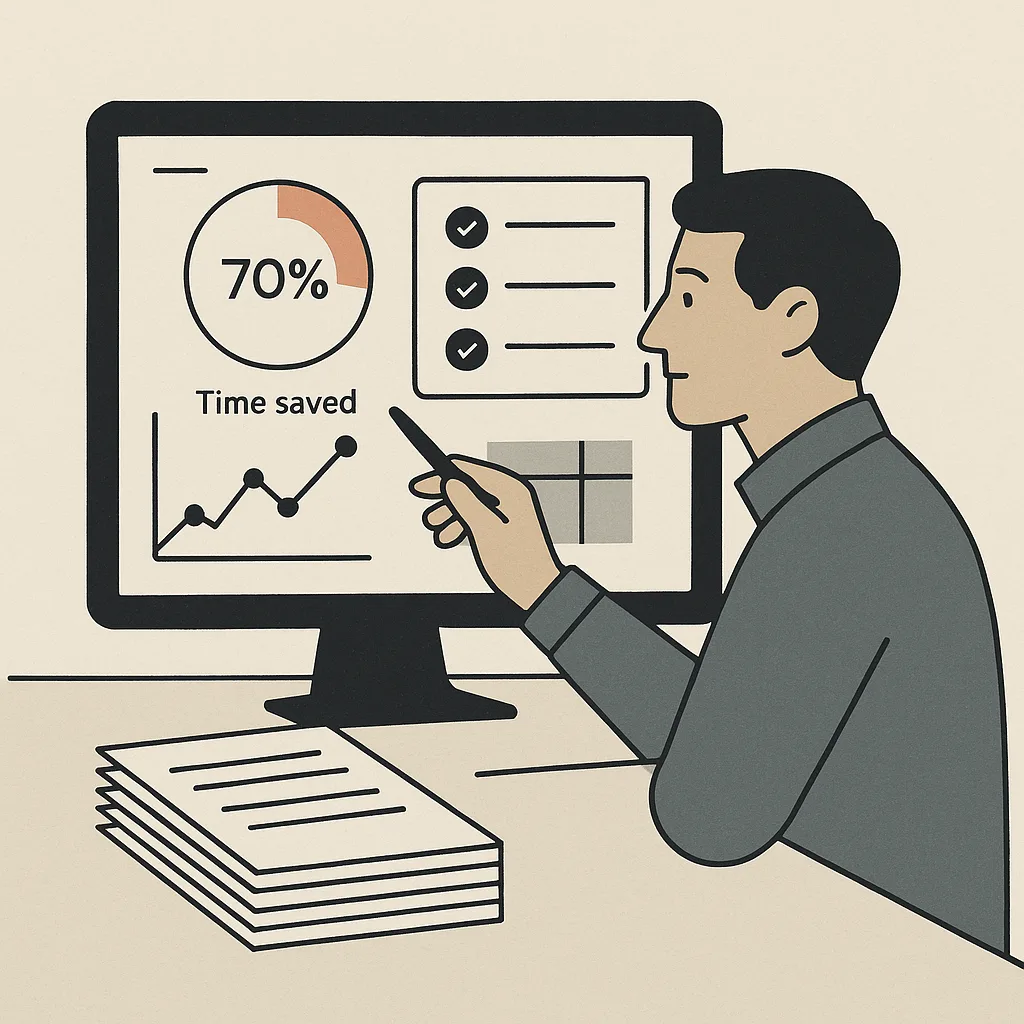
The strongest public evidence on workplace AI points in the same direction: measurable gains tend to show up fastest in bounded tasks like drafting, summarization, support assistance, and knowledge work augmentation. Research from the National Bureau of Economic Research has highlighted substantial productivity gains in assisted customer support settings, especially for less experienced workers. That matters for business buyers because it suggests AI performs best when the workflow is structured and the output can be guided and checked.
At the same time, platform-level adoption guidance from NIST’s AI Risk Management Framework reinforces the need for governance, testing, and appropriate oversight before deployment into higher-risk use cases. In plain business terms: use AI aggressively where review is easy, and use it carefully where trust failures are expensive.
Companies get outsized gains when they deploy AI against repeatable, high-frequency tasks with clear inputs, clear outputs, and a human who can approve exceptions fast.
Mini case pattern: a small service business
Consider a 12-person agency handling inbound leads, weekly client calls, proposals, and monthly reporting. Before AI, account managers were spending:
- 4 hours per week on meeting notes and recap emails
- 3 hours on proposal drafting and revisions
- 2 hours on CRM updates and follow-up reminders
- 3 hours on reporting summaries and slide prep
That is 12 hours per week in administrative and drafting work before the actual strategic work begins.
A practical stack for that agency might be:
- Fireflies or Fathom for call notes and action items
- ChatGPT or Claude for proposal and recap drafting
- Zapier or Make for CRM updates, reminders, and document routing
- Notion AI for SOPs, internal knowledge, and reporting summaries
Typical outcome: 6 to 10 hours saved per account manager per week, with most of the savings coming from shortening first drafts and eliminating duplicate data entry. The failure modes are also predictable: call transcripts need speaker checks, proposal drafts need pricing review, and automation steps need guardrails for bad source data. But the hours come back fast because the workflows are repetitive and the review burden is manageable.
This is why the right tool shortlist should always pair upside with likely failure modes. Buyers do not need hype. They need to know where the hour savings are real.
23 Best AI Tools for Business, Mapped by Use Case and Company Context
The shortlist below is organized by actual buying context. For each pick, the key question is not whether the tool is impressive. It is whether it removes a bottleneck cheaply and safely.
For solo operators and founder-led businesses
- ChatGPT: Best all-purpose assistant for drafting, analysis, brainstorming, and lightweight data interpretation. Time saved: 3 to 6 hours per week. Watch for overconfident answers and generic writing.
- Claude: Strong for long documents, policy digestion, and nuanced writing. Time saved: 2 to 5 hours. Better fit when you work heavily with long briefs or knowledge docs.
- Perplexity: Best for research synthesis with source visibility. Time saved: 1 to 3 hours. Good for market scans and vendor comparisons; still verify cited claims.
- Grammarly: Best for polishing client-facing writing inside existing workflows. Time saved: 1 to 2 hours. Useful when you need consistency more than creativity.
- Canva Magic Studio: Best for quick visual assets, pitch decks, and social creative without a designer. Time saved: 2 to 4 hours. Watch for sameness across outputs.
For small teams that need fast rollout
- Notion AI: Best for internal knowledge, SOP drafting, summaries, and team docs. Time saved: 2 to 5 hours per manager. Strong when work already lives in Notion.
- Microsoft Copilot: Best for businesses deep in Microsoft 365 needing AI inside email, docs, and spreadsheets. Time saved: 2 to 6 hours. Value depends heavily on existing Microsoft usage.
- Google Workspace Gemini: Best for teams standardized on Gmail, Docs, Sheets, and Meet. Time saved: 2 to 5 hours. Lowest friction when you want native workflow support.
- Otter: Best for meeting transcription and recap generation. Time saved: 2 to 4 hours. Good baseline pick when you need searchable notes fast.
- Fathom: Best for sales and client-call summaries with easy highlights. Time saved: 2 to 4 hours. Particularly useful for client service teams.
For service businesses that sell expertise
- Fireflies: Best for call capture, action items, and searchable meeting history. Time saved: 2 to 4 hours. Strong operational value when client calls are frequent.
- Apollo AI features: Best for prospecting support and email personalization inside outbound workflows. Time saved: 2 to 5 hours. Requires list quality and deliverability discipline.
- HubSpot AI: Best for CRM-native drafting, follow-up support, and sales productivity. Time saved: 2 to 5 hours. Good choice when your pipeline already runs through HubSpot.
- PandaDoc AI: Best for speeding up proposals, quotes, and contract drafts. Time saved: 2 to 4 hours. Review pricing and legal clauses closely.
- Loom AI: Best for turning async explanations into faster client updates and internal walkthroughs. Time saved: 1 to 3 hours. Useful when meetings are the bigger problem than writing.
For ecommerce brands
- Jasper: Best for marketing teams producing product copy, email campaigns, and ad variants at scale. Time saved: 3 to 6 hours. Needs strong brand voice controls.
- Klaviyo AI features: Best for lifecycle email optimization and segmentation support. Time saved: 2 to 5 hours. High ROI when retention is already a priority.
- Gorgias AI: Best for support automation in ecommerce with agent assist and macro acceleration. Time saved: 3 to 7 hours. Keep human review on refunds, exceptions, and sensitive cases.
- Shopify Magic: Best for store-native copy generation and merchandising support. Time saved: 1 to 3 hours. Good convenience layer, less suited for broad ops automation.
For internal ops-heavy companies
- Zapier: Best for low-code workflow automation connecting forms, inboxes, CRMs, sheets, and AI steps. Time saved: 3 to 8 hours. Excellent time-to-value, but multi-step logic can get expensive.
- Make: Best for more complex visual automations with branching logic. Time saved: 4 to 10 hours. Better for power users willing to manage complexity.
- Airtable AI: Best for structured operational data, enrichment, categorization, and workflow coordination. Time saved: 2 to 6 hours. Strong when processes revolve around records and status changes.
- Asana Intelligence: Best for project coordination, status summaries, and workload visibility. Time saved: 1 to 3 hours. Useful where management overhead is the core pain.
- ClickUp AI: Best for task drafting, summaries, and process execution inside project workflows. Time saved: 1 to 3 hours. Best when the team already lives in ClickUp.
When to buy one assistant versus a stack
Use one assistant if you are mostly solving drafting, brainstorming, summarizing, and research for one or two people. Build a hub-and-spoke stack when you need better outputs inside a function like sales, support, or content. Add an automation layer when humans are copying information from one system to another.
Three practical stack examples:
- Marketing stack: ChatGPT or Claude + Jasper + Canva + Zapier
- Client service stack: Fathom + ChatGPT + PandaDoc + HubSpot AI
- Operations stack: Notion AI + Airtable AI + Make + Microsoft Copilot
The tradeoff is straightforward. All-in-one suites reduce maintenance but can be shallow outside their core ecosystem. Specialist stacks perform better in specific workflows but demand more admin and clearer ownership. If your team is early in AI adoption, start narrower than you think. Then claim the toolkit and map the next layer deliberately.
Top 5 Mistakes to Avoid When Choosing AI Tools for Business
- Buying by popularity instead of bottleneck.
A famous tool is not automatically a useful tool. Start with the workflow that burns the most hours, then choose the software that fits that job.
- Ignoring hidden cost after the base subscription.
Seat minimums, premium connectors, transcript overages, usage caps, and admin time can double the true monthly cost. Price the full operating model, not just the sticker.
- Automating customer-facing work before internal work.
Internal summarization and drafting are safer proving grounds. If you jump straight to autonomous support or outbound messaging, you increase brand risk before your team has learned where the model fails.
- Connecting sensitive data without governance.
Before you connect inboxes, CRMs, proposal docs, or knowledge bases, review retention settings, permission controls, approval paths, and vendor policies. Some tools are excellent for brainstorming and poor fits for regulated or sensitive data.
- Expecting AI to fix a broken process.
AI amplifies process quality. If your templates are inconsistent, your CRM is messy, or your SOPs are vague, outputs will stay unreliable. Clean the workflow enough that the tool has good inputs and a clear job.
A practical rule for safer deployment
Use AI freely for first drafts, summaries, extraction, and categorization. Use it cautiously for recommendations, prioritization, and personalized external communications. Use it only with strong review for commitments, approvals, pricing, policy, legal language, and anything that can create financial or reputational damage.
Build a Stack That Saves Time Without Creating New Risk

The best ai tools for business are the ones your team will actually use, your systems can support, and your customers never have to notice because the experience simply gets faster and better. Start with one high-frequency workflow, pick the lowest-risk deployment lane, and measure saved hours before you expand.
If you want a faster selection process, use the toolkit below to compare tools by use case, risk, setup effort, and real monthly cost. It is designed for buyers who need to justify decisions internally and avoid expensive trial-and-error.
Use the scorecard, pick one workflow, and deploy where approval is easy. That is how AI starts saving 10 or more hours a week instead of becoming another software bill.
Want This Implemented for Your Business?
Book a free 30-minute strategy call with DigitalUche — no obligation, just real advice.

Uchenna Richard — DigitalUche
Founder & CEO — Ace Digitals Global
Lagos-based digital marketing strategist helping Nigerian entrepreneurs build websites and run ads that actually convert. Follow on Instagram @DigitalUche.